 Search Tips
Deposit Register Report
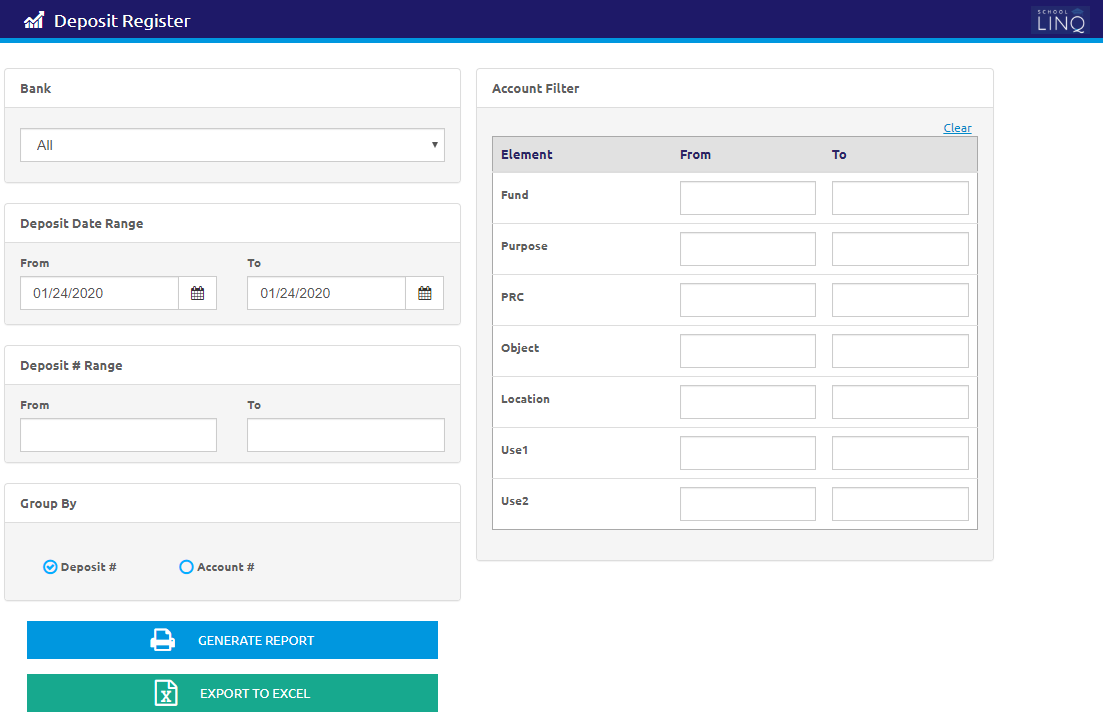
The Deposit Register Report prints a list of selected bank deposits.
-
Select a bank from the Bank drop-down list.
- Enter or select a Deposit Date Range using the Calendar feature in the From and To fields.
-
Enter a Deposit # Range in the From and To fields. This is optional.
- Select Deposit # or Account # to Group By for the report.
- Enter the Element range in the From and To fields to filter the report by account elements. This is optional
- Click the
.png) button to generate the report.
button to generate the report. - Click the
 button to export the data to Excel.
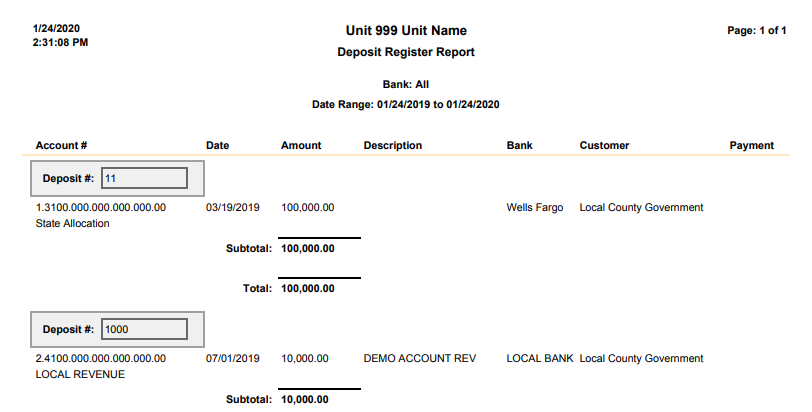
Sample Deposit Register Report
©2021 | EMS LINQ, Inc.
School LINQ Help, updated 01/2021